Web Portal Access Guide (Role: USER, CIAT_ADMIN, AT_ADMIN)
Previous Guides: General Guide
First Login
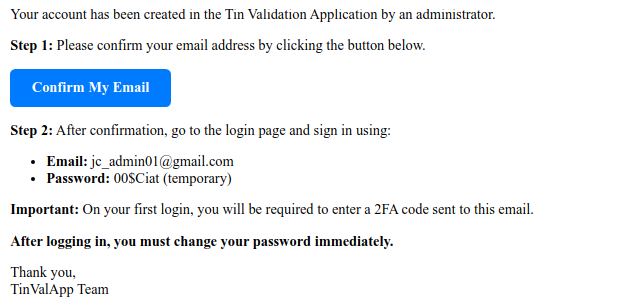
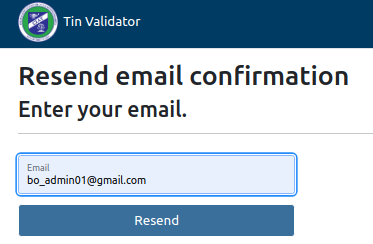
Once your user account has been created, you will receive an email with the information and steps to follow. If you do not receive it or cannot find it, you can request it to be resent.
Login
Purpose: Access the system.
Steps
Click to confirm your email "Confirm My Email" and continue.
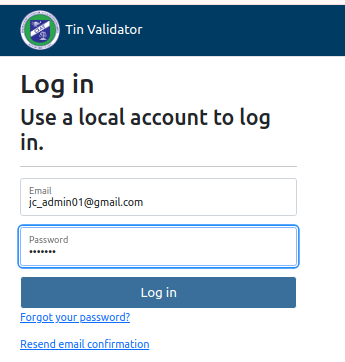
Enter email and temporary password.
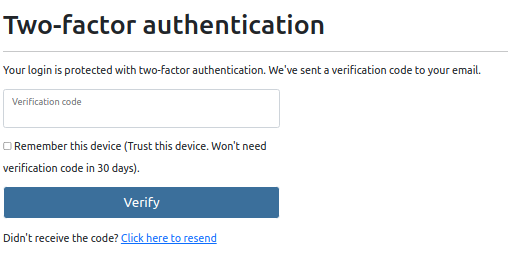
Immediately, an access code will be sent to your email address, showing this message.
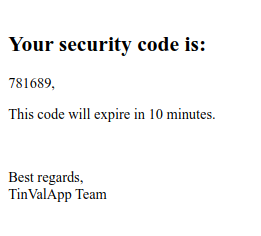
You will find your access code in your email.
Enter the verification code and, if desired, check the "Trust this Machine" option.
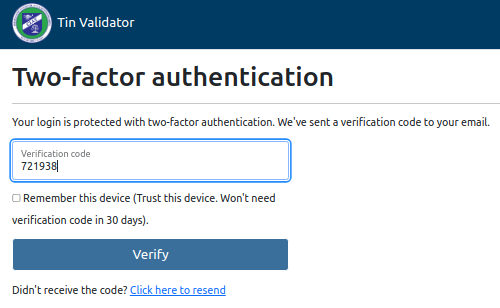
Login request with email resend option.
Two-Factor Authentication (2FA)
Provides greater security to the system by sending an access code to the user's email address immediately. The code is valid for 10 minutes.
Mark to Trust this Device
Allows the user to inform the system that when logging in from the current device, the two-factor authentication code will not be required for 30 days.
Need Help?
Email Support
support.tinvalidator@ciat.org
Technical Support
(507) 123-CIAT
Mon-Fri, 9AM-5PM EST